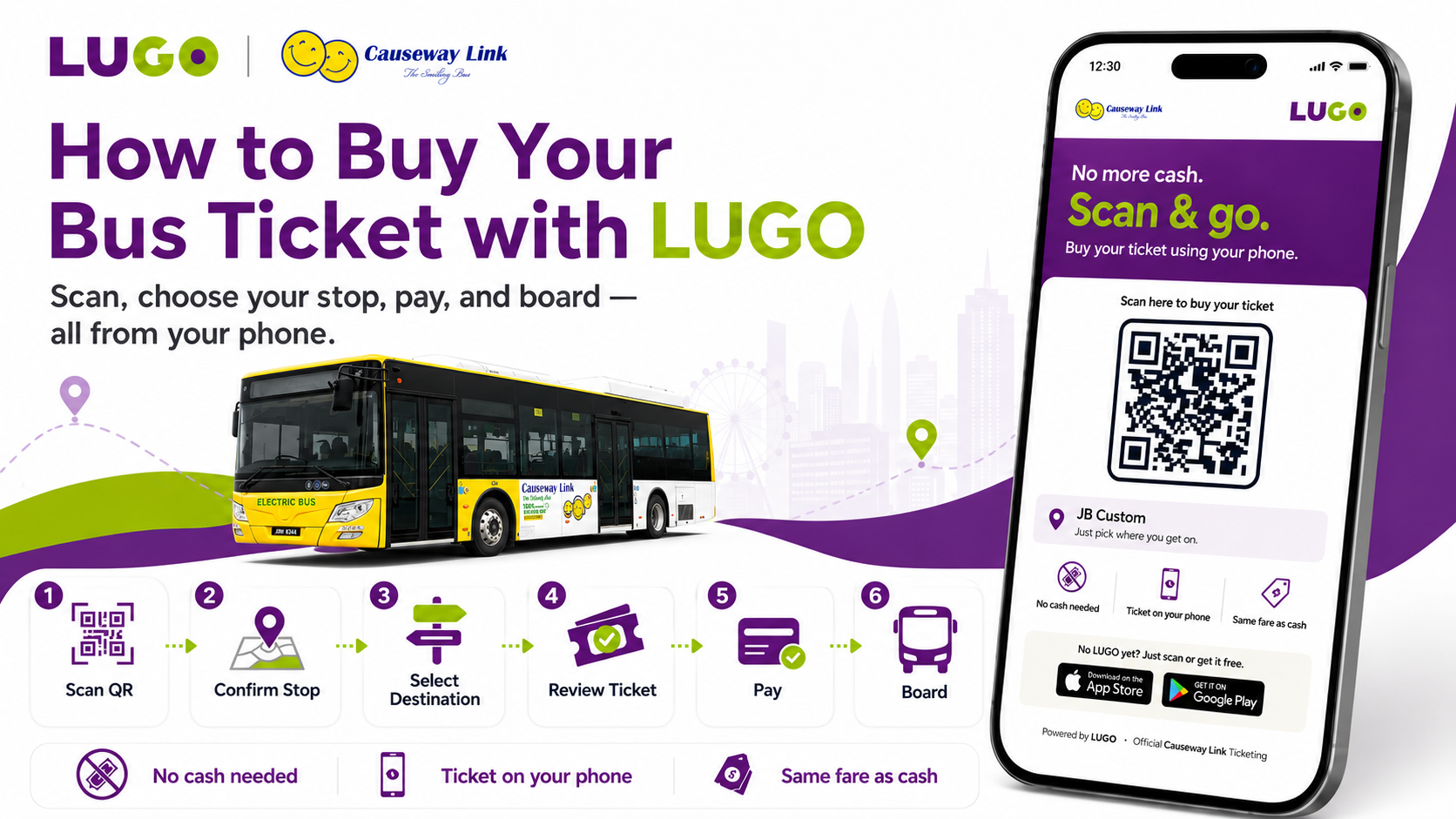
No more searching for cash or waiting at the kiosk!
With the LUGO app, you can purchase your bus ticket quickly and conveniently using just your phone.
Follow these simple steps and you’ll be ready to board the bus in no time!
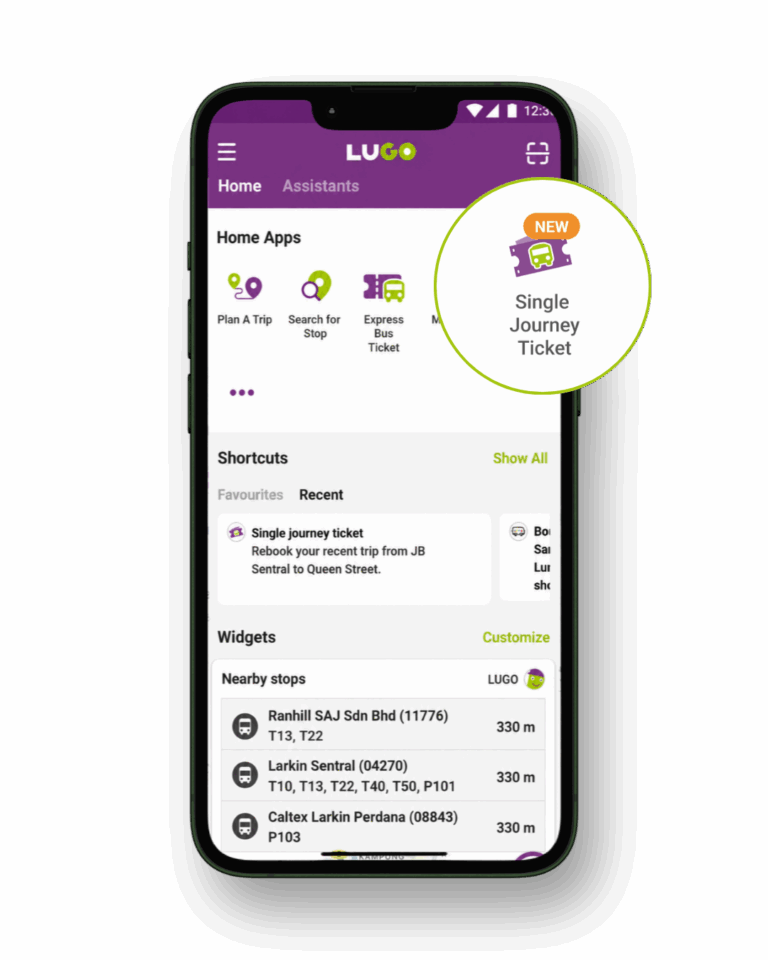
Step 1: Download LUGO
Open the LUGO app, select Single Journey Ticket, and purchase your ticket without queuing at the kiosk.
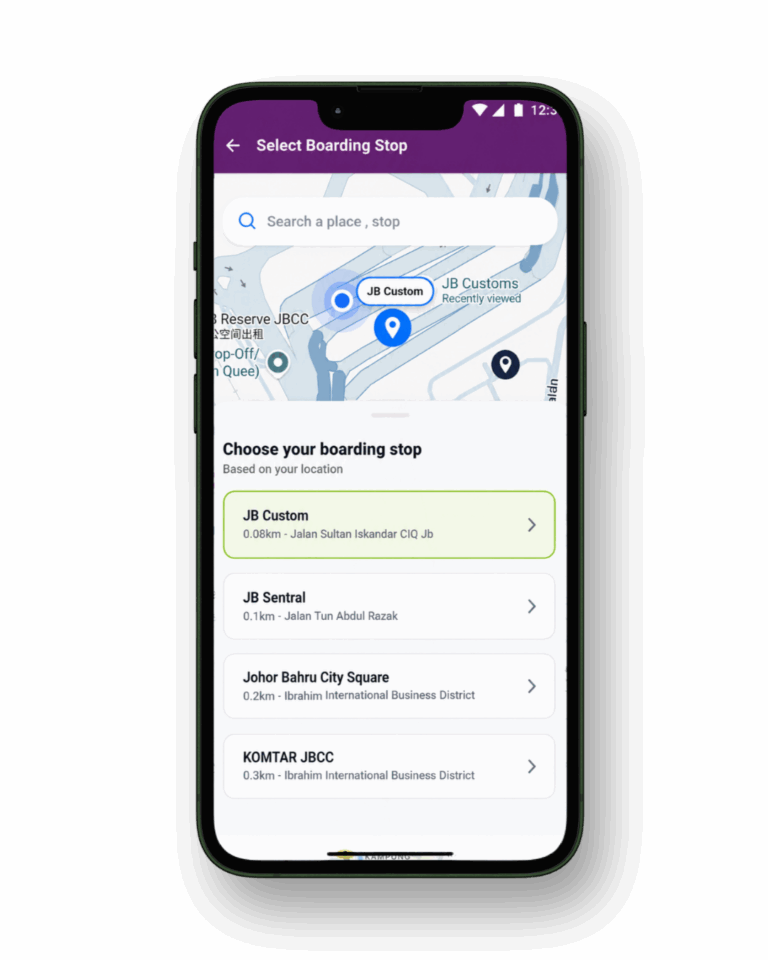
Step 2: Confirm Your Boarding Stop
Your current boarding location will be shown automatically.
For example, if you are at Kranji MRT, check that Kranji MRT is selected as your boarding stop.
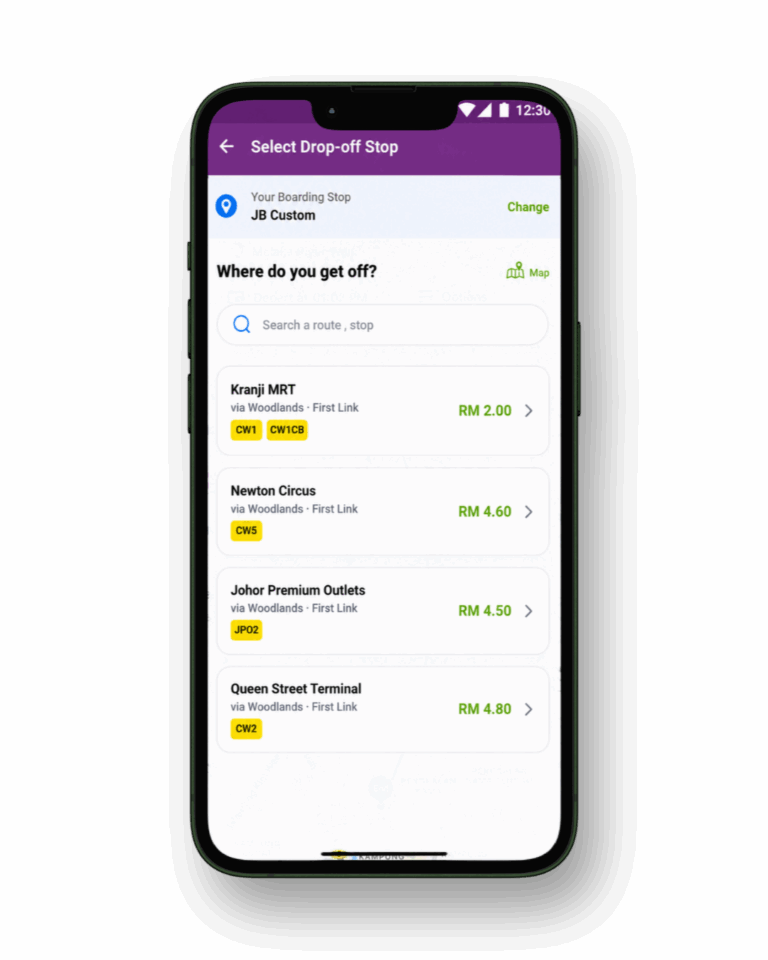
Step 3: Select Your Destination
Choose where you would like to get off from the suggested destinations.
For example, select JB Sentral if that is your destination.
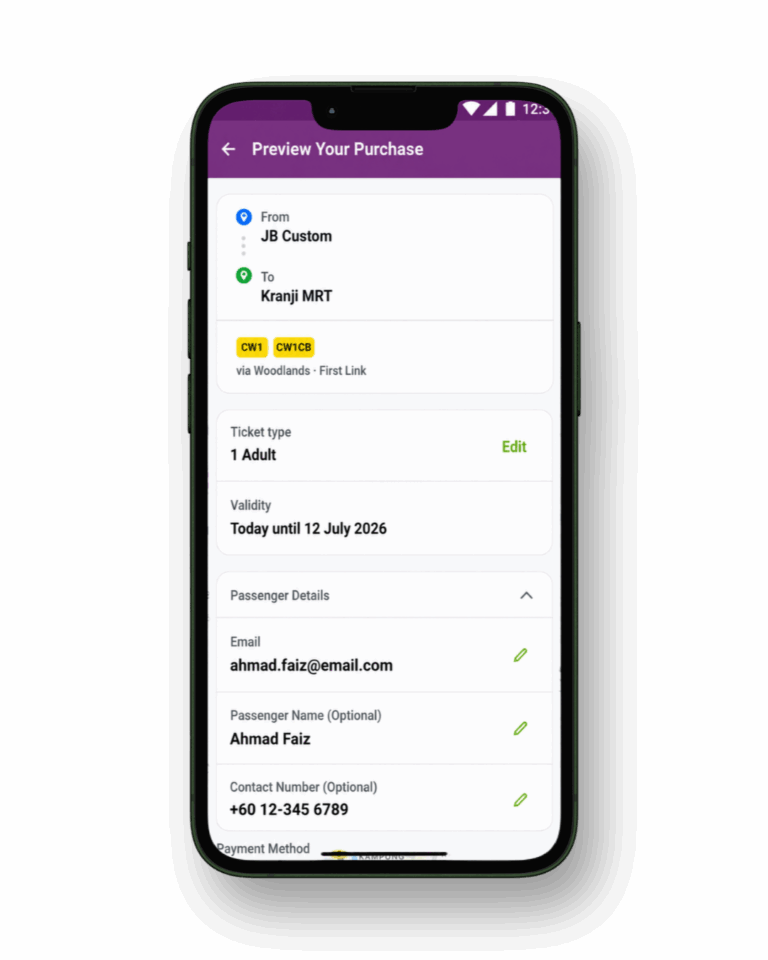
Step 4: Review Your Ticket
Before making payment, check your:
Boarding stop
Destination
Bus route
Passenger type and quantity
Ticket validity
Total fare
Make sure all the details are correct before continuing.
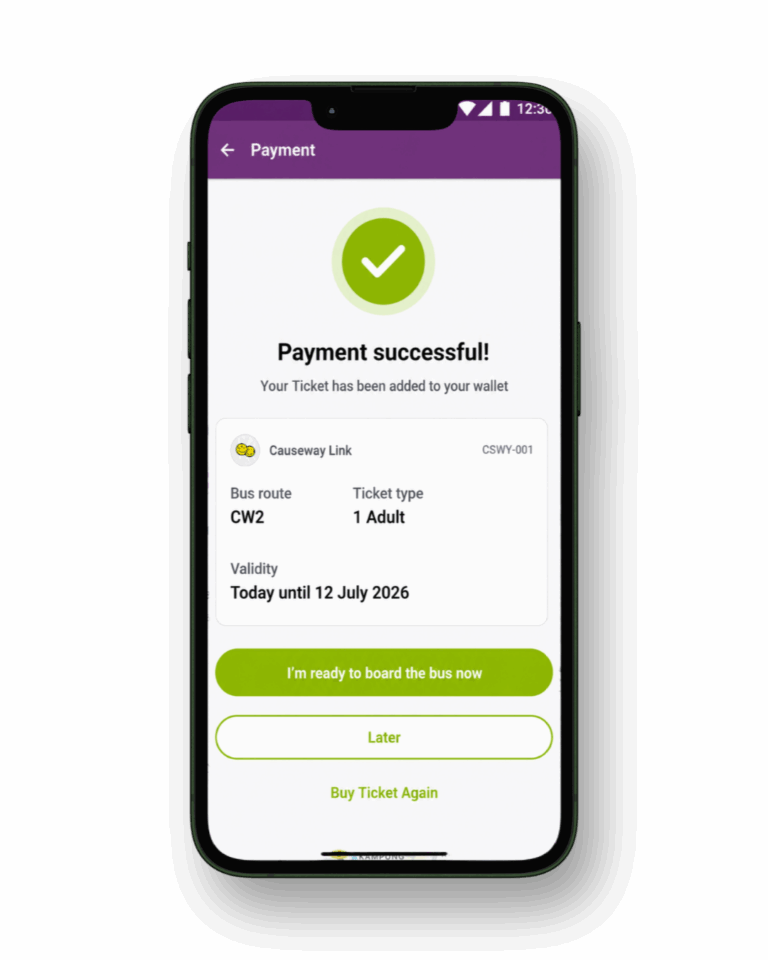
Step 5: Make Payment
Select your preferred payment method and tap the payment button to complete your purchase.
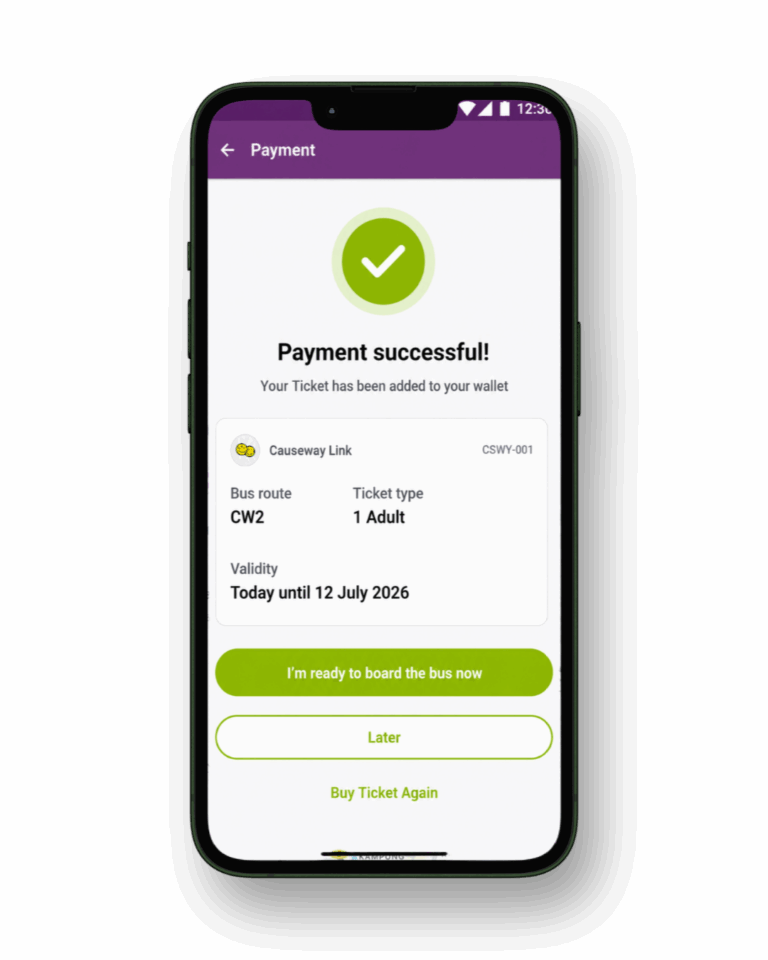
Once the payment is successful, your ticket will be added to your LUGO account.
Step 6: Get Ready to Board
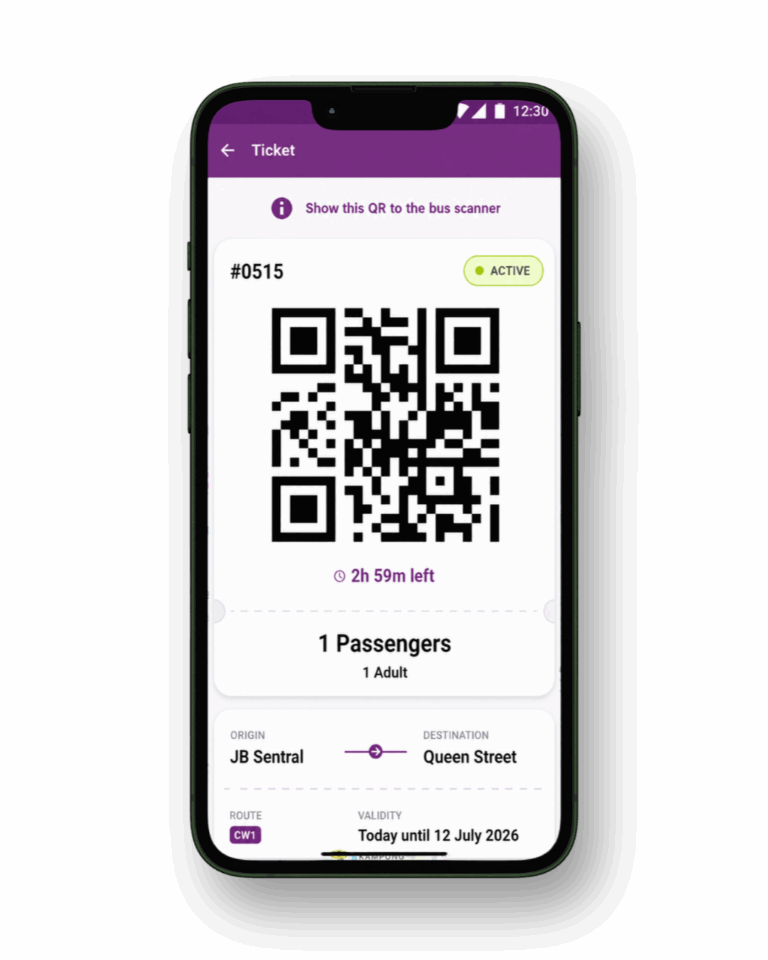
Are you boarding now? Tap “I’m ready to board the bus now.”
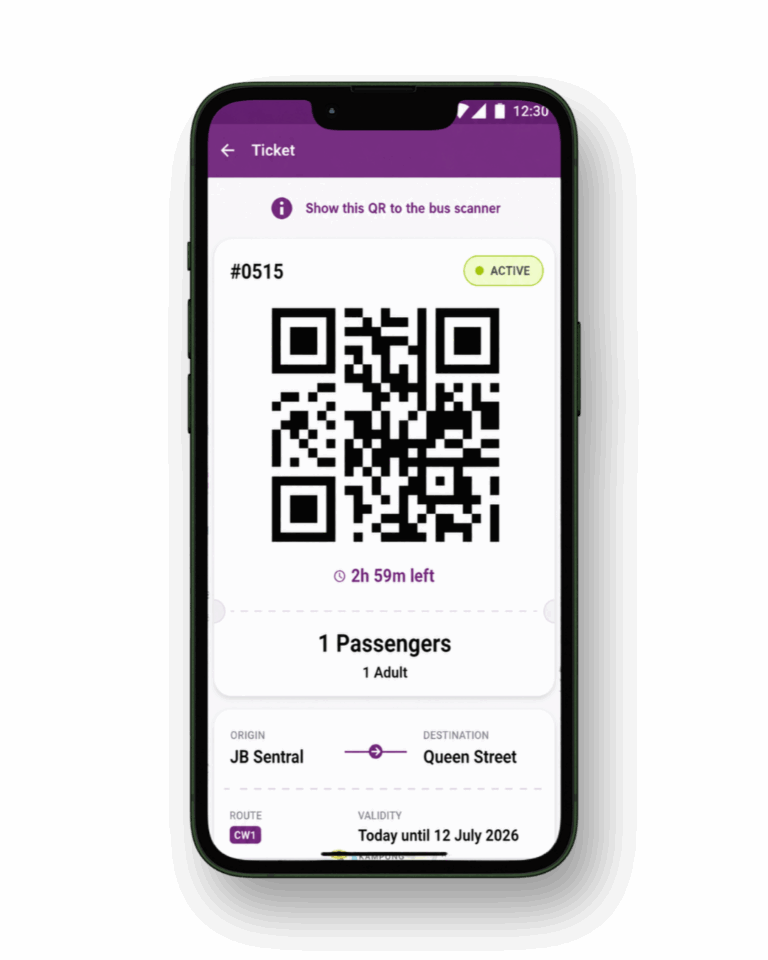
Your boarding QR code will appear on your phone. Show this QR code to the bus scanner when boarding.
Not boarding yet? Select “Later” and access the ticket from your LUGO app when you are ready.
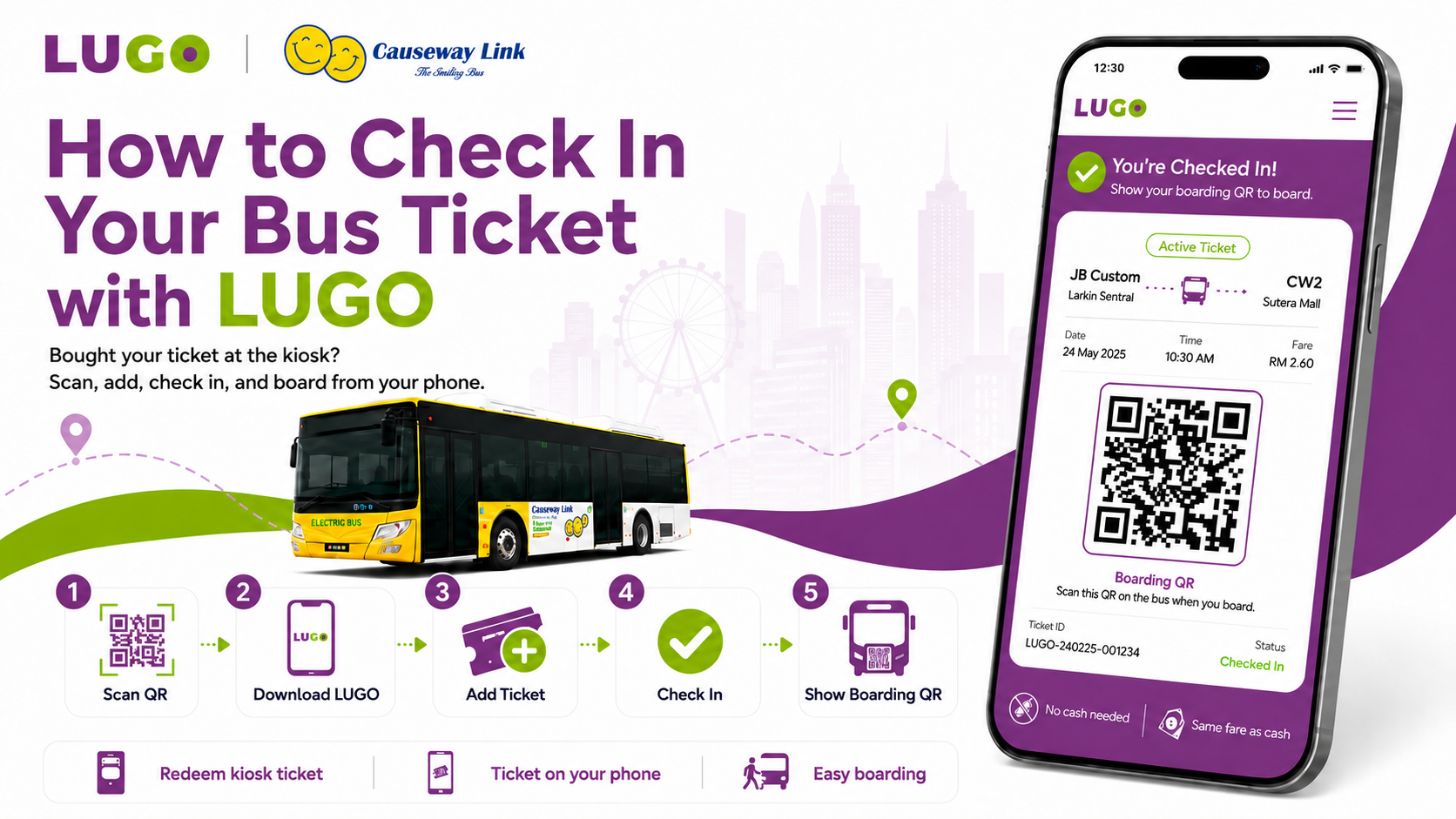
How to Check In Your Bus Ticket with LUGO
Already bought a ticket from the kiosk or with cash bus? Or would you prefer to buy your ticket directly from your phone?
With LUGO, you can redeem an existing ticket or purchase a new ticket easily, all from your phone.
Here’s how it works.
Bought Your Ticket at the Kiosk and redeem It in LUGO
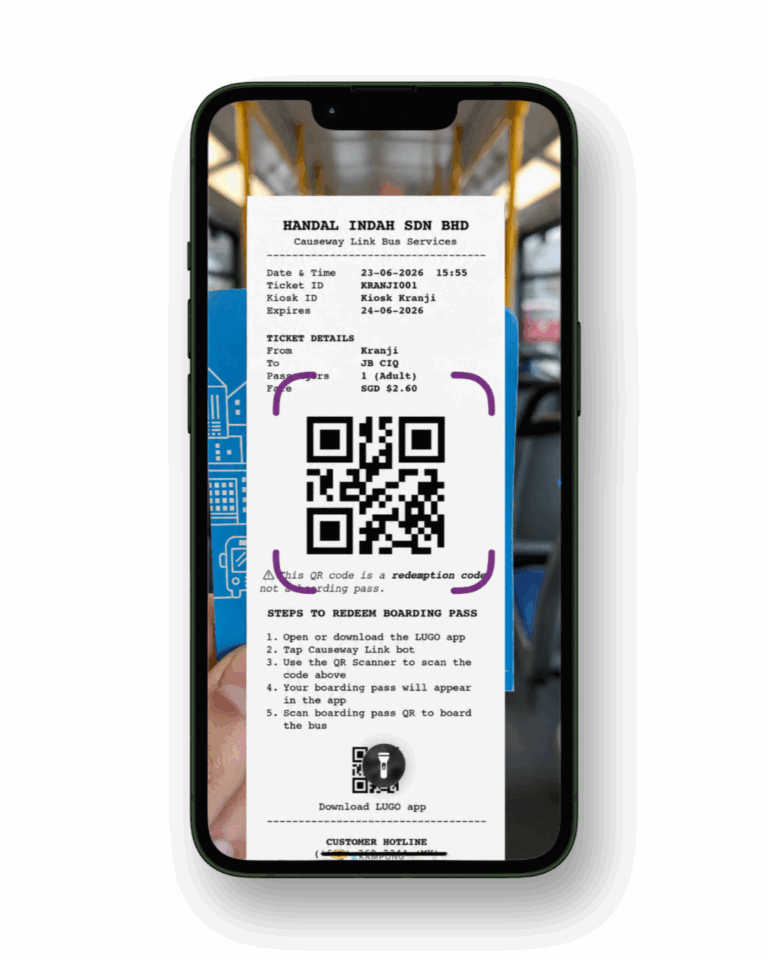
Already purchased your bus ticket from a kiosk? Great! Scan your ticket with the LUGO app to check in when your board the bus.
Step 1: Scan the QR Code on Your Paper Ticket
Use your phone camera to scan the QR code printed on your kiosk receipt.
Already have the LUGO app? Follow these steps:
Open the LUGO app.
Tap the scanner icon at the top-right corner.
Scan the ticket.
Place the QR code on your kiosk receipt inside the scanner frame.
Choose to check in now or check in later.
Your ticket will be detected automatically and added to the LUGO app.
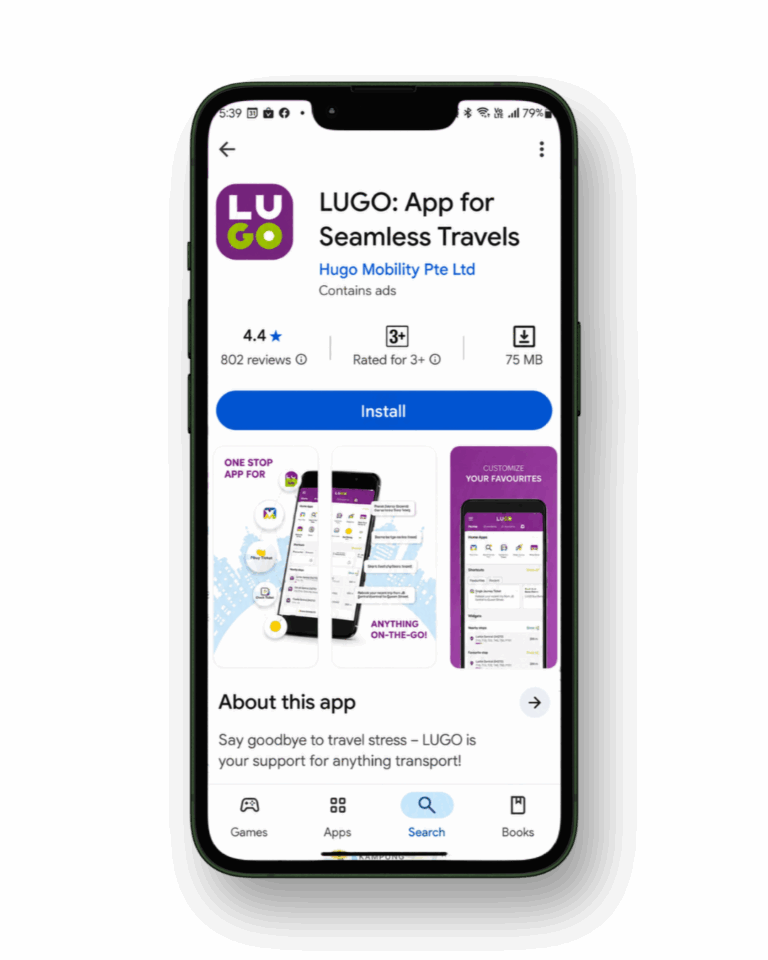
Step 2: Download LUGO
Don’t have the LUGO app yet? No worries.
After scanning the QR code, you may be directed to download LUGO from the App Store or Google Play Store. This is completely normal and part of the ticket redemption process.
Once LUGO is installed, open the app and continue with your ticket.
Step 3: Add Your Ticket to LUGO
After the QR code is detected, your ticket details will appear in the app.
You can then choose:
I’m ready to board the bus now if you are travelling immediately.
Later if you want to save the ticket and board at another time.
Step 4: Check In When You Are Ready
When you are ready to board, open your ticket and complete the check-in.
Once checked in:
Your boarding pass will appear.
The ticket validity countdown will begin.
Your boarding QR code will be ready to use.
Step 5: Show the LUGO Boarding QR
Show the boarding QR code displayed in LUGO to the scanner at the bus entrance.
Important: The QR code printed on your kiosk receipt is used to add the ticket to LUGO. It is not the boarding QR code. Always use the new QR code generated inside the LUGO app when boarding.
Need to Find Your Ticket Again?
You can access your active ticket from:
The Single Journey Ticket section, or
The ticket card displayed on the LUGO homepage.
Just tap Show Ticket to display your boarding pass.